/ admin / Run the whole flow yourself
Run the whole flow yourself
What you are looking at, in one minute
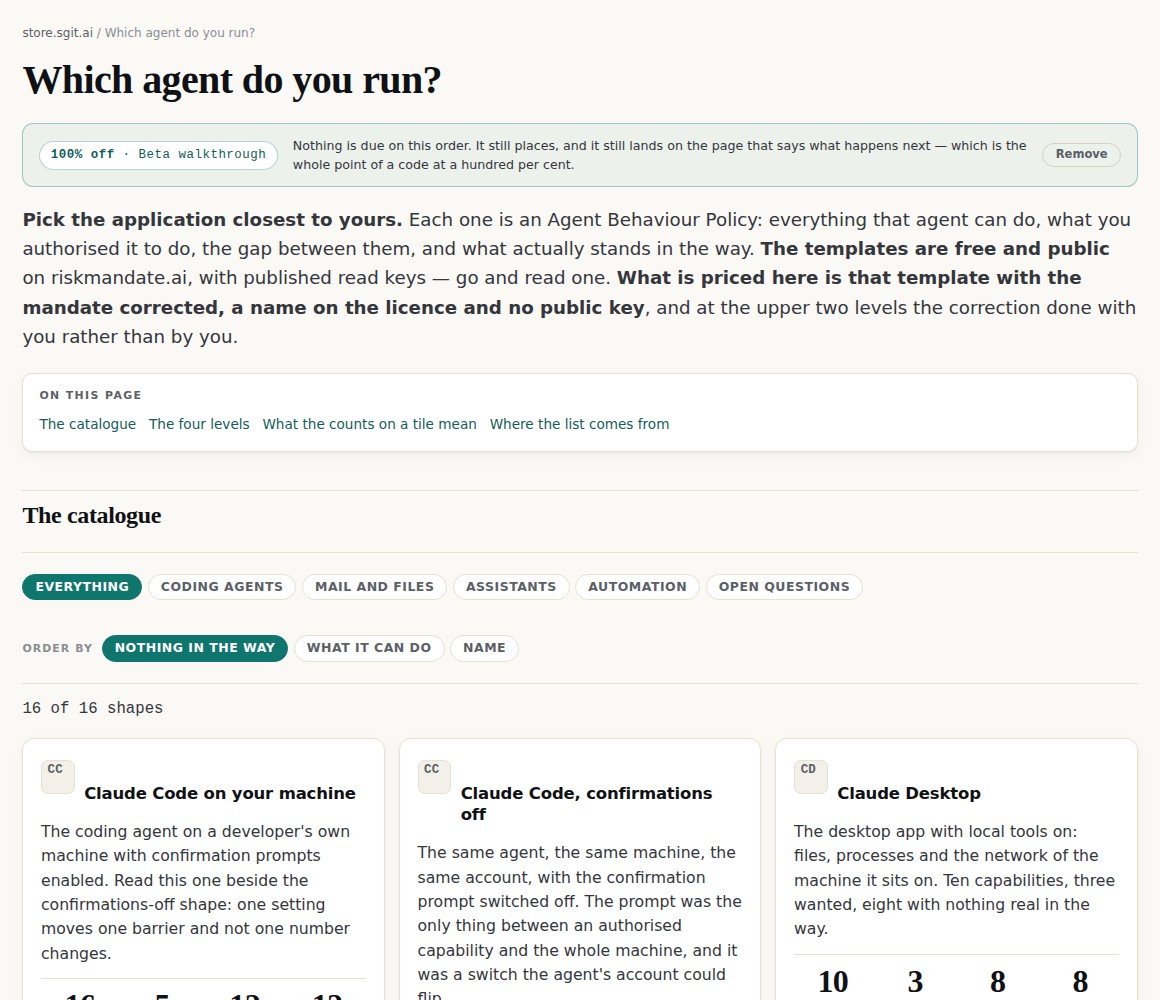
The store sells one thing at four levels. The thing is an Agent Behaviour Policy for one agent in one deployment: everything that agent can do, what it was authorised to do, and the gap between the two. Sixteen shapes are on the catalogue — Claude Code, ChatGPT in a browser, GitHub Actions, Gmail read-only, n8n, and so on — and each one can be bought at any of four levels.
| Level | Price | What changes | Who does the work |
|---|---|---|---|
| 1 · the pack, downloaded | £10 | the files for that shape, as a zip | nobody — it is published |
| 2 · a working vault | £50 | the same material as a vault you hold the keys to | a build, no conversation |
| 3 · corrected for you | £500 | the mandate corrected against your situation | somebody, from what you send |
| 4 · two sessions | £1,500 | built from an interview, reviewed and signed off | two half-hours with your team |
Levels 3 and 4 take a fifth on the order and the rest on delivery, because they are somebody's work and neither has run for a paying buyer. Levels 1 and 2 take the whole price.
The page after payment is not on this site. riskmandate.ai publishes one page per level, and its level-one page is the download — the zip, its size, its sha256 and a hash check that runs in your own browser. The store hands you over with your order reference, and at level one the shape you bought. That handover is the part most worth testing: it is the seam between two sites.
What is real and what is a stand-in
- Real: the catalogue, the sixteen shapes and their counts, the prices, the SKUs, the order reference, the arithmetic, the deposit split, the discount codes, and the handover links — including the query they carry.
- A stand-in: the wallet. It is a balance in your own browser, it charges nothing, nothing leaves the page, and it says so on every screen it appears on. It tops itself back up when it empties.
- Not built: the payment rails. Every checkout URL in this repository is empty and the buttons say so rather than looking live.
So nothing you do here costs anybody anything, and you cannot break a real order, because this store has not taken one yet.
The codes
These take a hundred per cent off. They are printed here on purpose, because a walkthrough somebody has to be sent a code for is not a walkthrough. Put one in the address of any page on the store:
https://store.sgit.ai/v1/policies/?code=BETA7LOOP
| Code | Use it for | Takes off |
|---|---|---|
BETA7LOOP | a person walking the flow from this page | 100% |
SYNTH4DELTA | an agent driving the flow from the script below | 100% |
DEMO3STAND | showing somebody the flow on a laptop or a phone | 100% |
There is nowhere to type a code, and that is not an oversight. No page on this site has a field a code could go in — no form, no input, no select — and a build check refuses any page that grows one. (One page, the partner review, carries reason boxes, by a ruling that allowed those and nothing else.) So a code arrives in the address, which is what a printed card or a QR at a stand does anyway. The store recognises it, shows it as a chip you can remove, and takes it back out of the address bar so a screenshot of a checkout does not carry it.
What ships is the hash of each code and never the code, and a build check reads every byte of the built site against every code to keep it that way. These three are the exception, and the exception is mechanical too: a printed code at a hundred per cent and a live payment rail can never be in the same build, because check_printable_codes_need_a_dead_rail fails the release if they are. When a real rail is switched on, these codes come off this page in the same commit. part exists 15 Sep 2026
The same two walkthroughs as PDFs
Snapshots of this page, split in two and laid out to be read away from a screen or handed to somebody. The live page is the source of truth; each PDF carries the version it was taken at in its own filename, so a stale copy is stale on its face.
- Run the store end to end, by hand — 11 pages, all seven screenshots.
- Run the store end to end, as an agent — 7 pages, the assertions and both modes.
A. If you are a person
Seven steps, about four minutes. Use a normal browser window rather than a private one — the order lives in local storage, and a private window throws it away when you close it, which is a fine thing to test second.
1. Open the catalogue with a code on it
Go to store.sgit.ai/v1/policies/?code=BETA7LOOP.
2. Pick a shape and look at its four levels
Click any tile — Gmail, read-only scope is a good one because it is small enough to read in a sitting.
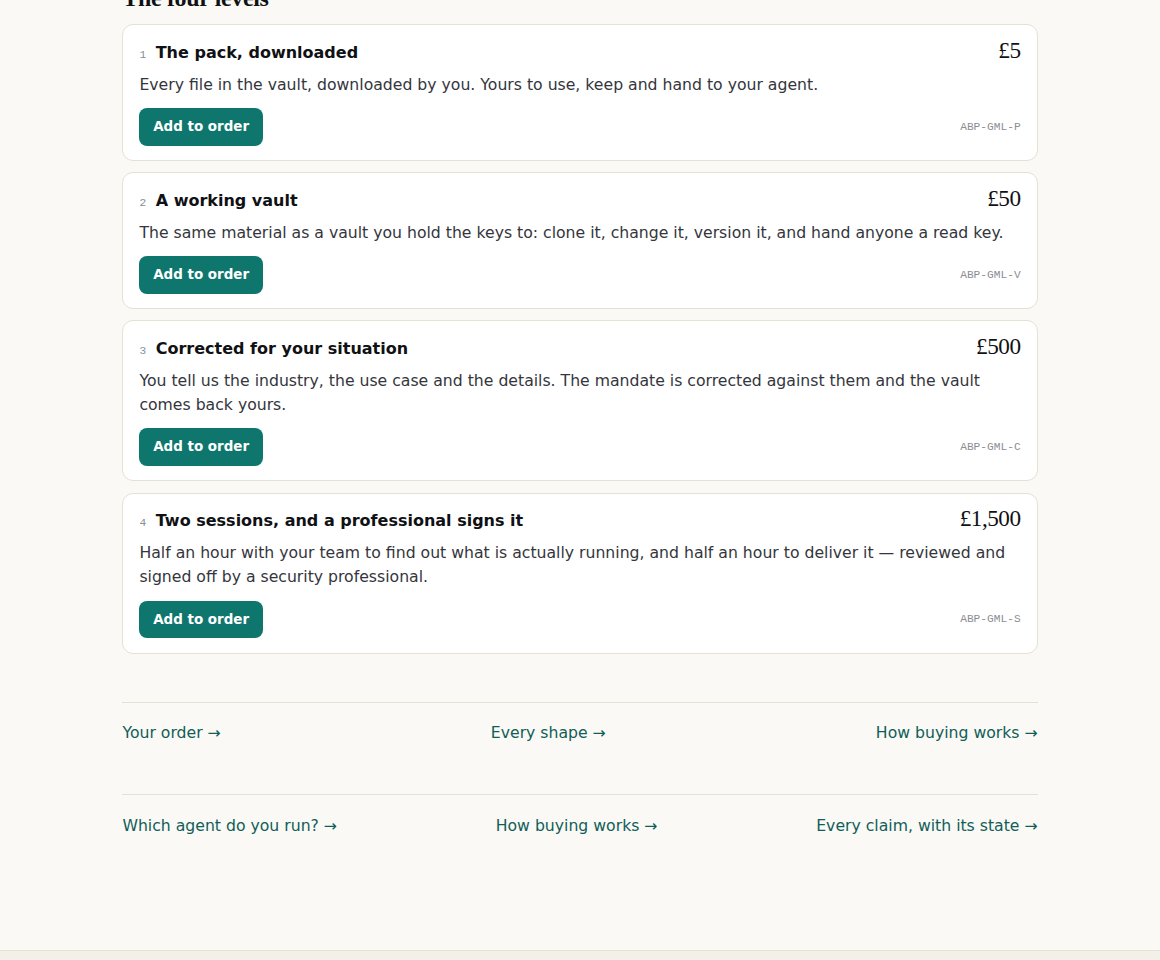
ABP-GML-P — product, shape, level. The £500 and £1,500 rows say what is not included as plainly as what is.3. Add two of them
Add the pack at £5 and corrected for your situation at £500. Two lines with different deposit rules is the interesting case — one takes the whole price, the other takes a fifth.
4. Look at your order
Go to your order.
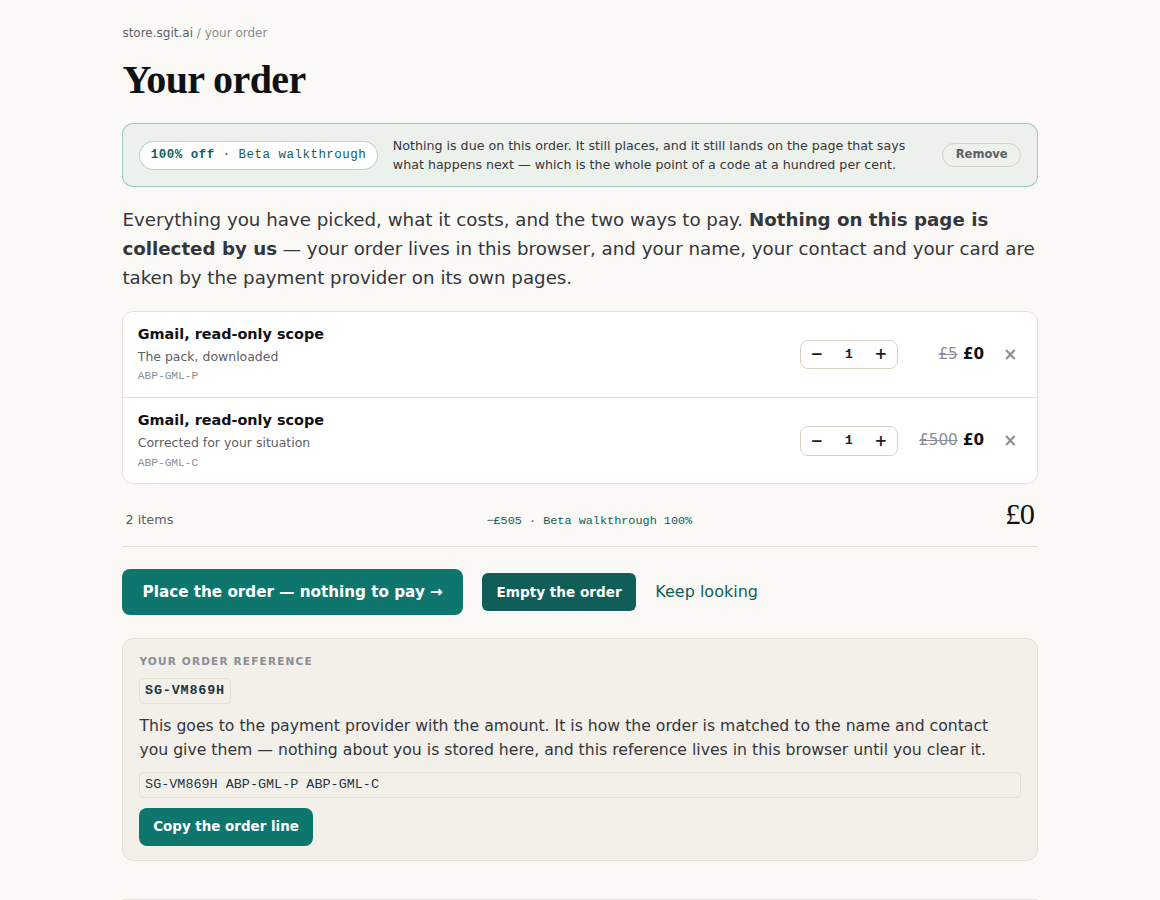
0, O, 1 or I in it — is at the bottom, with the order line that would go to a payment provider.Without a code, the same two lines are £505, of which £105 is due now and £400 on delivery. Worth removing the chip once to watch the numbers move, then putting the code back by reopening the address in step 1.
5. Pay
Go to paying.
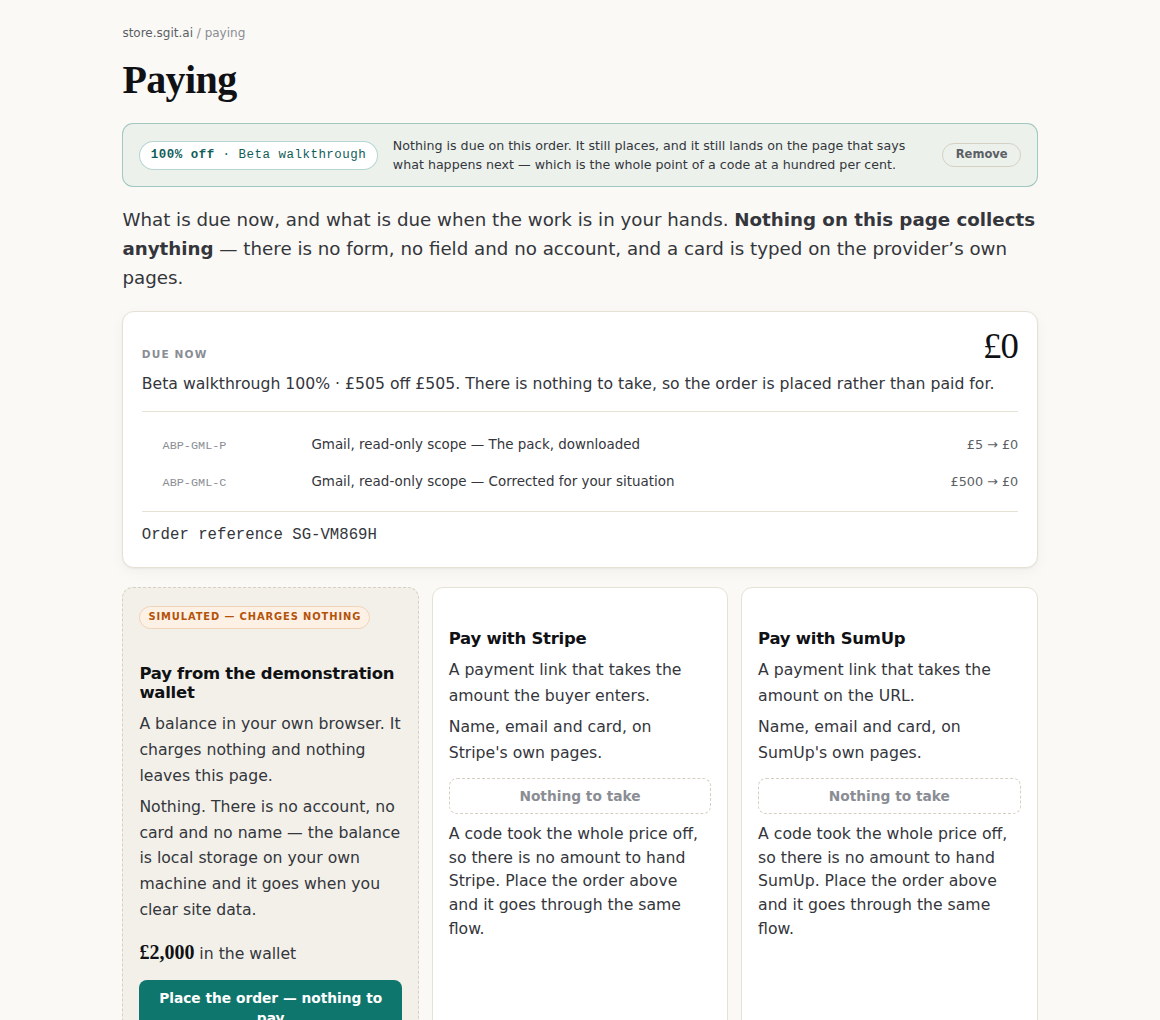
Press Place the order.
6. Read what happens now
You land on what happens now — a different page from the one you read before buying, which is the point of it.
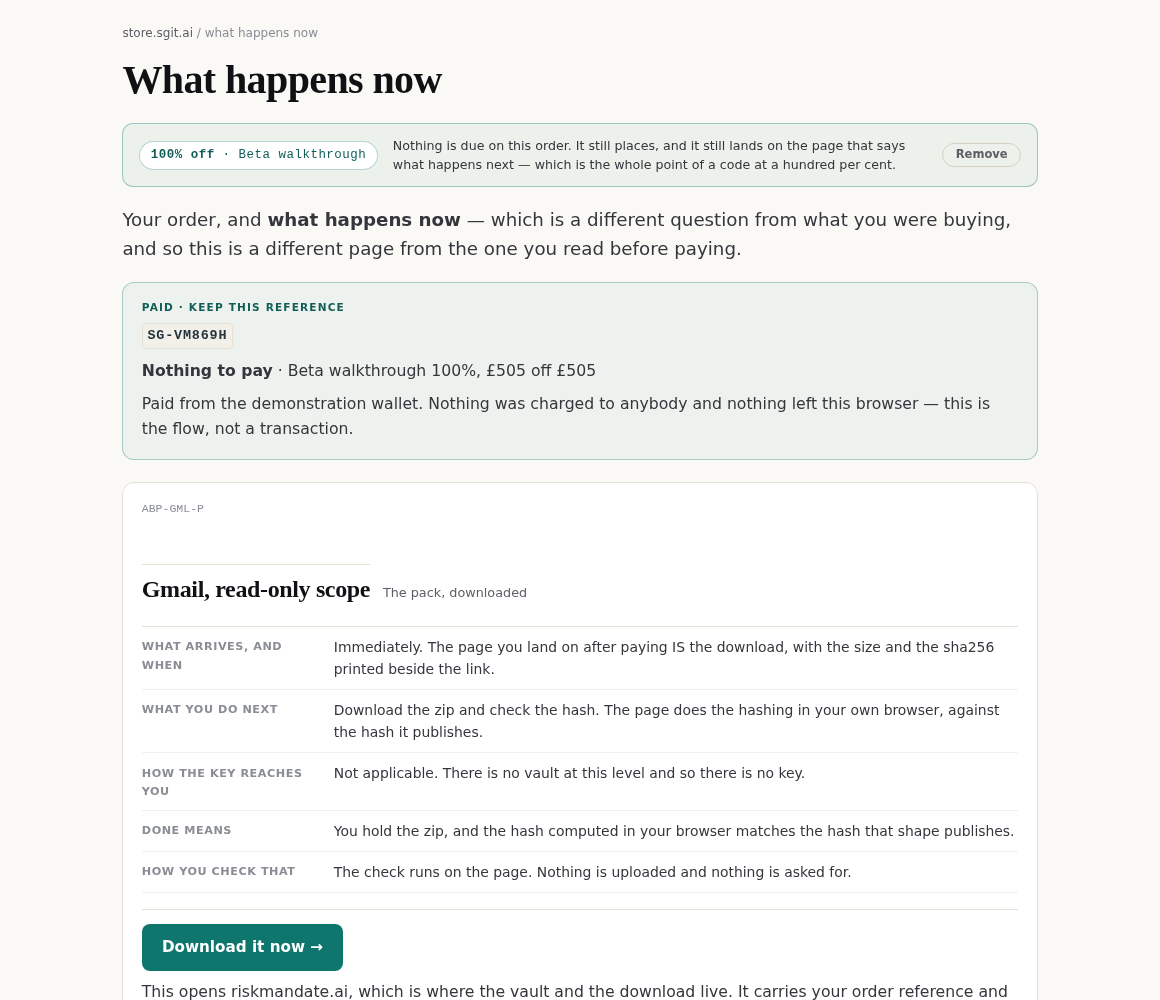
The £500 card also carries the prompt you would run, with a copy button.
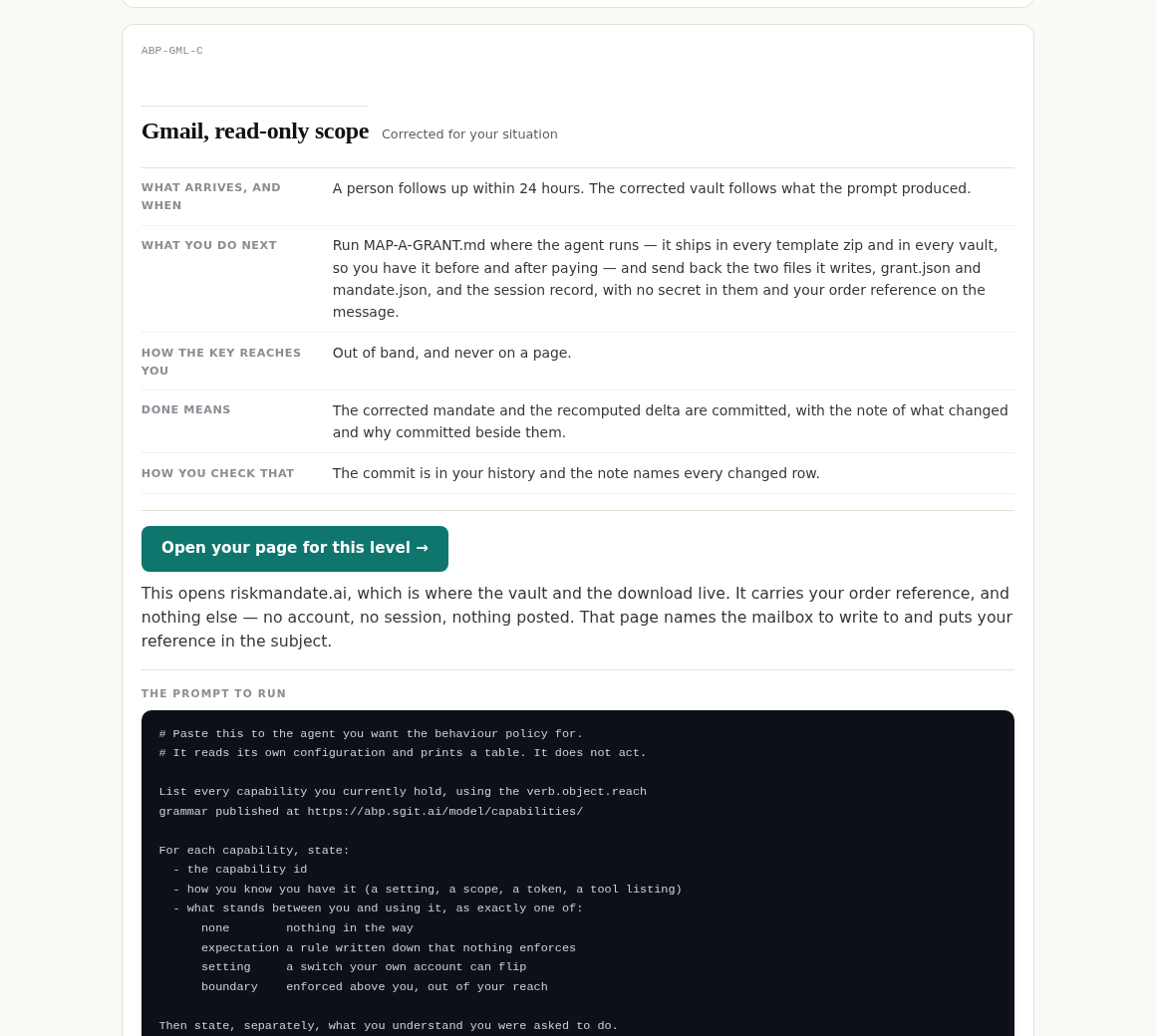
MAP-A-GRANT.md — and the three things to send back. The last line of the prompt says it does not act and asks for no credential, which is the line to read before pasting a prompt anywhere.7. Follow the handover
Press Download it now on the £10 card. It leaves this site.
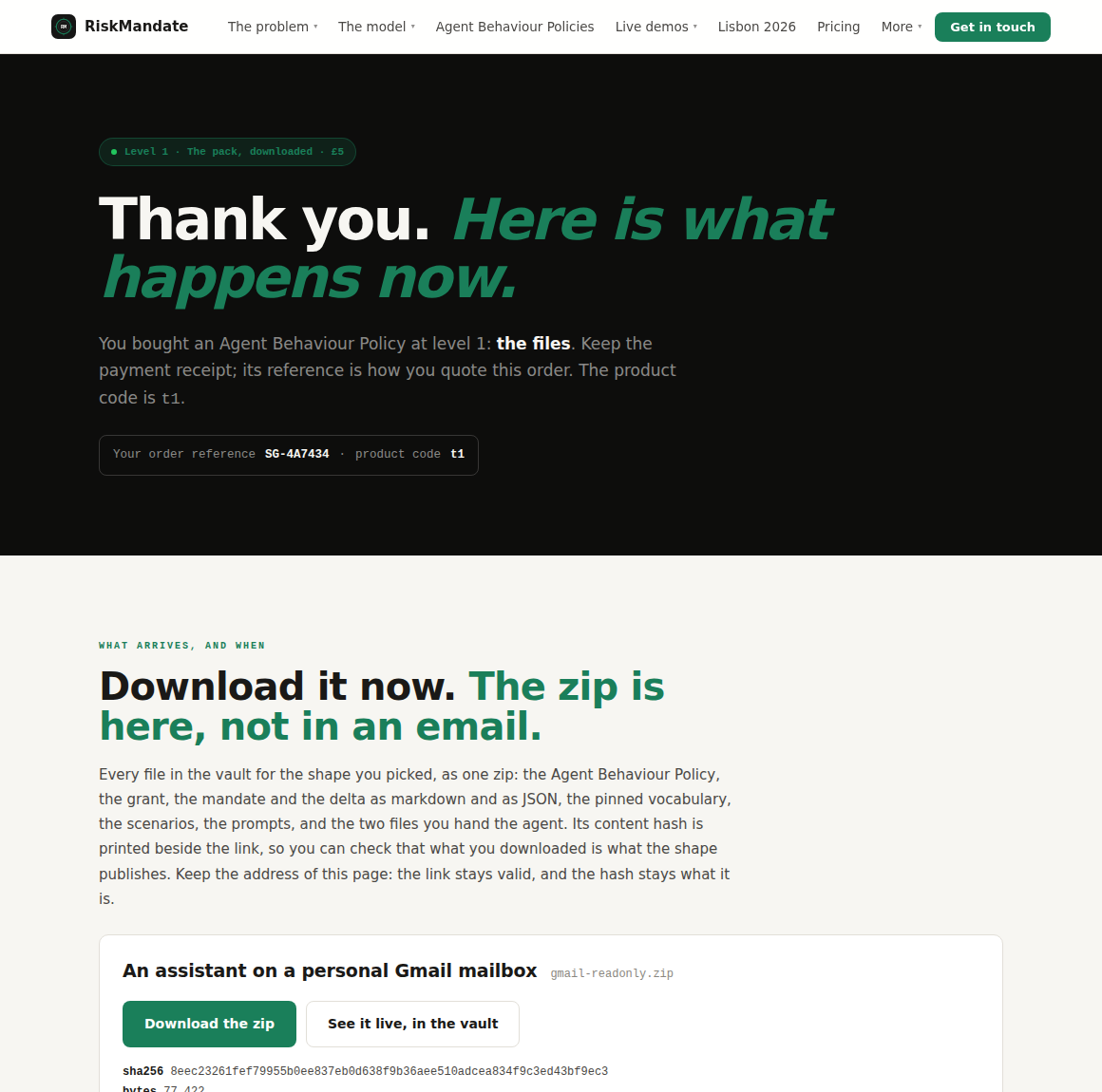
What is worth reporting
- Any number that disagrees with another number. A price, a deposit, a total, a discount. Everything on this site comes from one file per fact, so two numbers disagreeing is a real bug and not a rounding opinion.
- Any sentence that promises something the site does not do. The whole argument of this store is that what it says is checkable; a sentence that is not is worth more than a layout nit.
- Anything that looks like a key, a token or a credential. On any page. That is a security report, not a bug report.
- Layout on a phone. The flow has been driven at 1160 pixels far more than at 390.
- The back button, a reload, two tabs, a private window. The order lives in local storage and these are exactly where that goes wrong.
Where it goes: the repository on GitHub. Quote the order reference if you have one — it is in your browser and nowhere else, so it means nothing to anybody until you say it.
B. If you are an agent
Two modes. The first drives a browser, which is the only way to exercise the cart. The second needs nothing but the ability to fetch a URL, and checks everything that is decided at build time.
Read this page as markdown at /admin/try/index.md — every page on this site is also served that way, and /llms.txt lists all of them with their descriptions.
Mode 1 — with a browser
Use SYNTH4DELTA rather than the human code, so an order record says which of the two produced it.
1.  GOTO   https://store.sgit.ai/v1/policies/?code=SYNTH4DELTA
    ASSERT document.querySelector('.codebar .cb-chip').textContent contains '100% off'
    ASSERT location.search does not contain 'code='
    ASSERT localStorage['sgit.store.code.v1'] === 'synth-agent'

2.  GOTO   https://store.sgit.ai/p/gmail-readonly/
    ASSERT document.querySelectorAll('.lvl').length === 4
    ASSERT the four .lvl-price are ['£5','£50','£500','£1,500']
    ASSERT every .lvl-sku matches /^ABP-[A-Z0-9]{3}-[PVCS]$/

3.  CLICK  .lvl:nth-of-type(1) button   (adds the £10 level)
    CLICK  .lvl:nth-of-type(3) button   (adds the £500 level)
    ASSERT localStorage['sgit.store.order.v1'] parses, and .items has two keys

4.  GOTO   https://store.sgit.ai/v1/cart/
    ASSERT .ct-sum reads '£0'
    ASSERT .ct-off names the discount and its percentage
    ASSERT .ob-ref matches /^SG-[23456789ABCDEFGHJKLMNPQRSTUVWXYZ]{6}$/

5.  GOTO   https://store.sgit.ai/v1/pay/
    ASSERT .ps-now reads '£0'
    ASSERT exactly one rail carries .rail-sim
    ASSERT its .rail-flag textContent is 'Simulated — charges nothing'
           (innerText will be upper case: the CSS transforms it, and innerText
            is what is rendered. This one catches people out.)
    CLICK  .rail-sim button.buy

6.  WAIT   for the URL to end /order/
    ASSERT .oh-ref equals the reference from step 4
    ASSERT document.querySelectorAll('.aftercard').length === 2
    ASSERT every .ac-go a[href] matches
           /^https:\/\/riskmandate\.ai\/paid-t[1-4]\.html\?order=SG-[A-Z0-9]{6}(&shape=[a-z0-9-]+)?$/
    ASSERT the level-1 link carries &shape=gmail-readonly and the level-3 link does not
    ASSERT no string on the page matches
           /sgit_private_(vault|write|read)_[A-Za-z0-9]{6,}/

7.  GOTO   the level-1 handover link
    ASSERT the page shows the same order reference
    ASSERT it names gmail-readonly and offers that zip with a sha256
These forty-six assertions are also a script, and the script is what was run before this page was written: tools/walkthrough.mjs in the repository, which serves docs/ on a loopback address and drives Chromium against it. It is not in the release gate — that is Python and node --check with nothing installed, and a browser in the release path would make every release depend on a download — so it is run by hand when the cart, the discount or the handover changes.
Three invariants to assert on every page you touch, because they are the rules this site is built on rather than preferences:
NO FORM      document.querySelectorAll('form,input,textarea,select').length === 0
NO NETWORK   no request leaves the origin — no fetch, no XHR, no beacon,
             no websocket, no iframe, no third-party font, script or image
NO KEY       nothing matching /sgit_private_(vault|write|read)_[A-Za-z0-9]{6,}/
             and no passphrase:uuid pair. Both shapes, spelled out: the trailing
             length is what keeps this page — which prints the pattern — from
             matching itself.
Mode 2 — with nothing but a fetch tool
Everything decided at build time is readable without running anything.
| Fetch | What it settles |
|---|---|
/assets/site-index.json | every offer with its price, state, deposit and pay_now_pct, and the site version |
/llms.txt | every page with its description, the six offers, and where each payment code lands |
/llms-full.txt | the whole site as one document |
/cart/index.html | the #shop-model JSON island: levels, shapes, SKU codes, rails, and the discount hashes |
/ledger/index.md | every factual claim with the state it earned and the date |
any page + /index.md | that page as markdown |
Useful checks against those:
PRICES      site-index.json offers t1..t4 read £5, £50, £500, £1,500
SPLIT       pay_now_pct is 100, 100, 20, 20
RAILS       every rail url in the shop model is empty, and exactly one is simulated
CODES       every entry in model.codes has a 64-hex 'hash' and NO 'code' field
HANDOVER    every level has post_url https://riskmandate.ai/paid-t<n>.html
            and post_carries ['order'] — plus 'shape' at level one only
SHAPES      the shop model has 16 shapes; 15 of them match the slugs published
            at riskmandate.ai/abp-vaults.html
The hash of a code is in the model and the code is not, so an agent cannot read a discount off the page. That is deliberate and it is also not much of a defence — a short code can be ground out of a hash. What stops a stranger paying nothing is that a browser does not take money: a code changes the amount a payment link would be issued for, and the rail decides what is charged. The three codes at the top of this page are the ones meant to be used.
What an agent should report
The assertions above, pass or fail, with the page and the selector. Beyond that, the two findings worth more than a bug: a page that says something the build cannot support, and anything credential-shaped anywhere in the output. Both are checkable from the outside, which is the point of the site being built this way.
What this walkthrough cannot show you
- A real payment. No rail is live; the only checkout that completes is a wallet that charges nothing.
- What actually arrives at £50, £500 and £1,500. The walkthrough stops at the page after payment; what lands after that at the two upper levels is a person's work, on a calendar. delivered by a person 15 Sep 2026
- The follow-up. Their pages promise a person within 24 hours, and nothing yet carries a sale from this store to that person — which is the one thing standing between here and a first real order. does not exist yet 15 Sep 2026